← Back to guide
AI Replies
Skip the blank page. Every hot lead arrives with a suggested reply.
1
Step 1
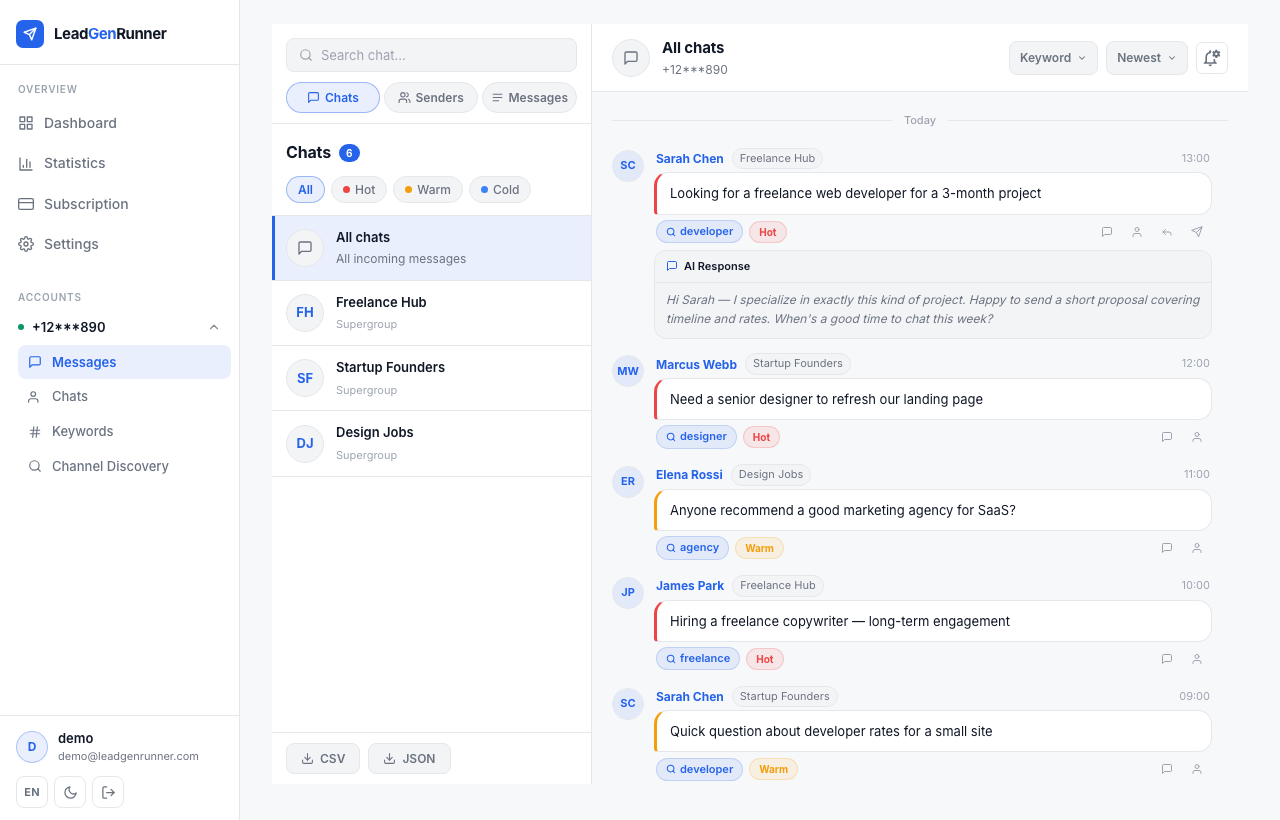
A tailored reply under every matched message
Expand the "AI Response" block under any message with a classification.
2
Step 2
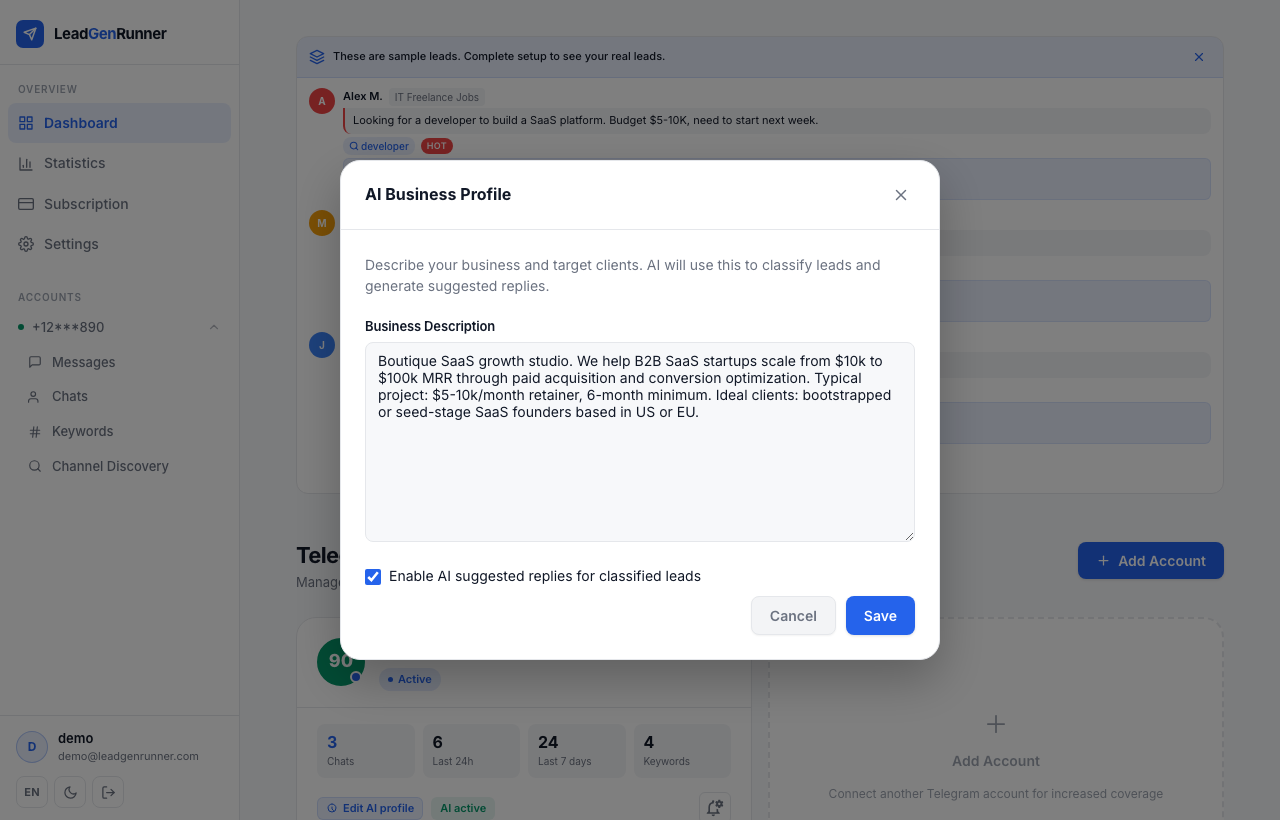
Turn AI replies on in your business profile
The AI needs to know who's replying. Open your account's AI profile, describe your business, and tick "Enable AI suggested replies". From that moment on, every classified lead comes with a draft written in your voice.
3
Step 3
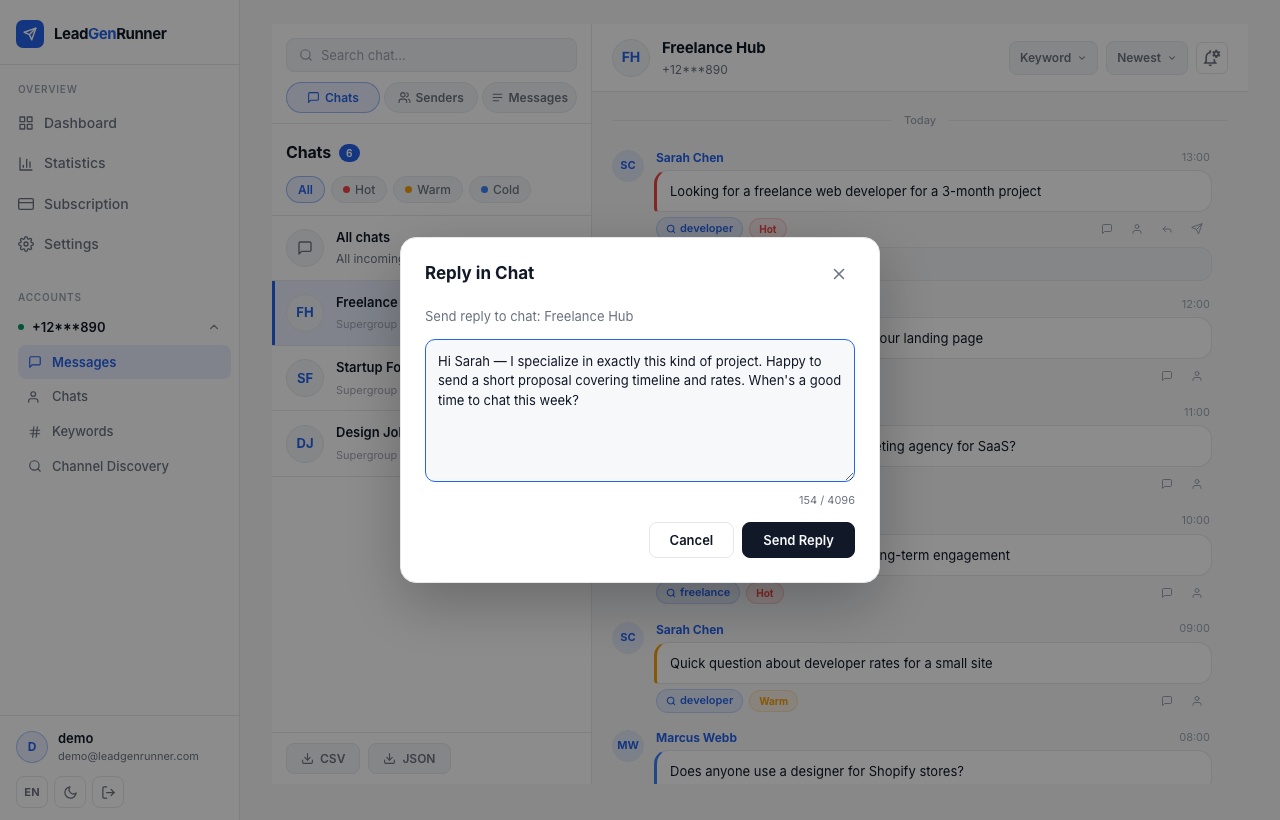
Edit the draft, or send it as is
Click the reply button on any matched message. The AI draft is already in the textarea — tweak it, adjust the tone, then send to the chat or straight to the sender's DMs.
Ready to try it yourself?
Start a free plan and see your first leads within minutes.
Start free