← Back to guide
AI Classification
Stop reading every message. Let AI tell you which ones actually matter.
1
Step 1
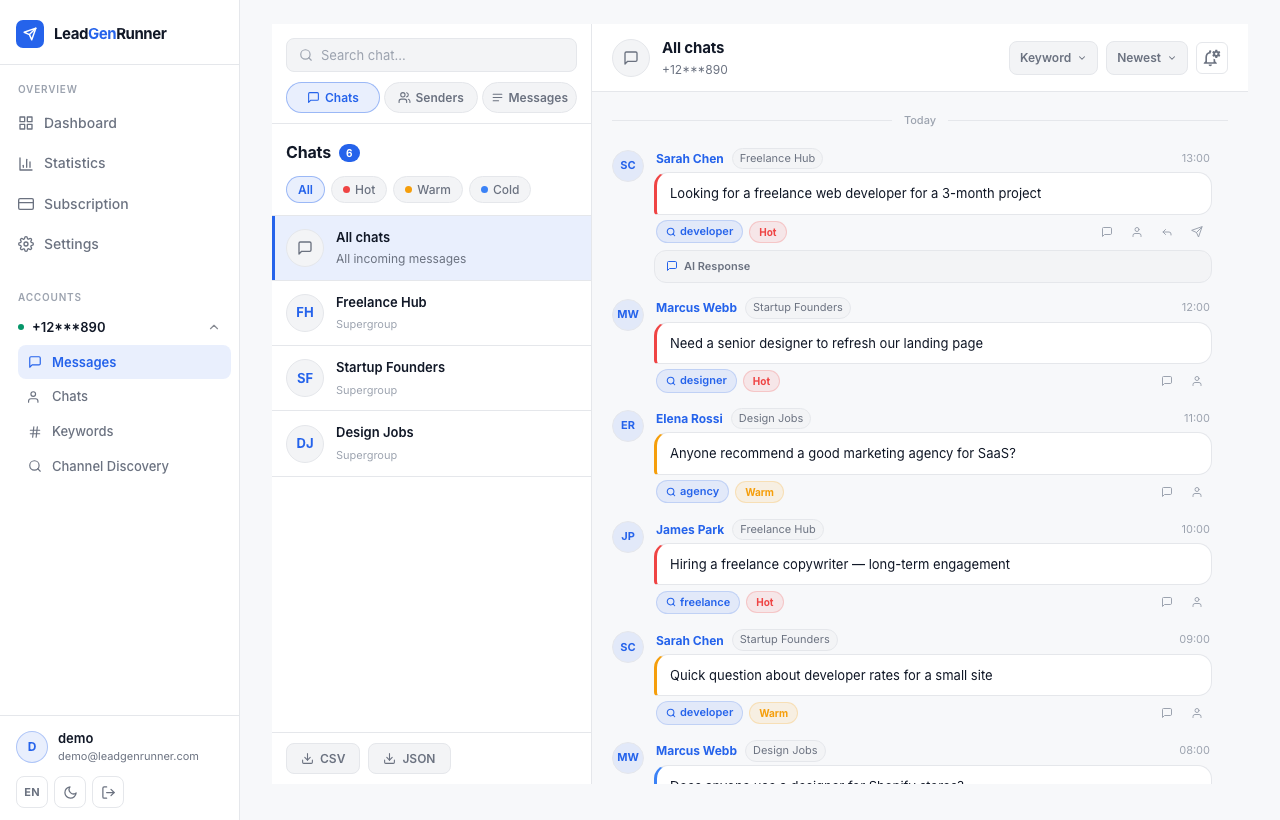
Every matched message gets a hot / warm / cold score
As soon as a message arrives, the AI reads it in the context of your business profile and labels it.
2
Step 2
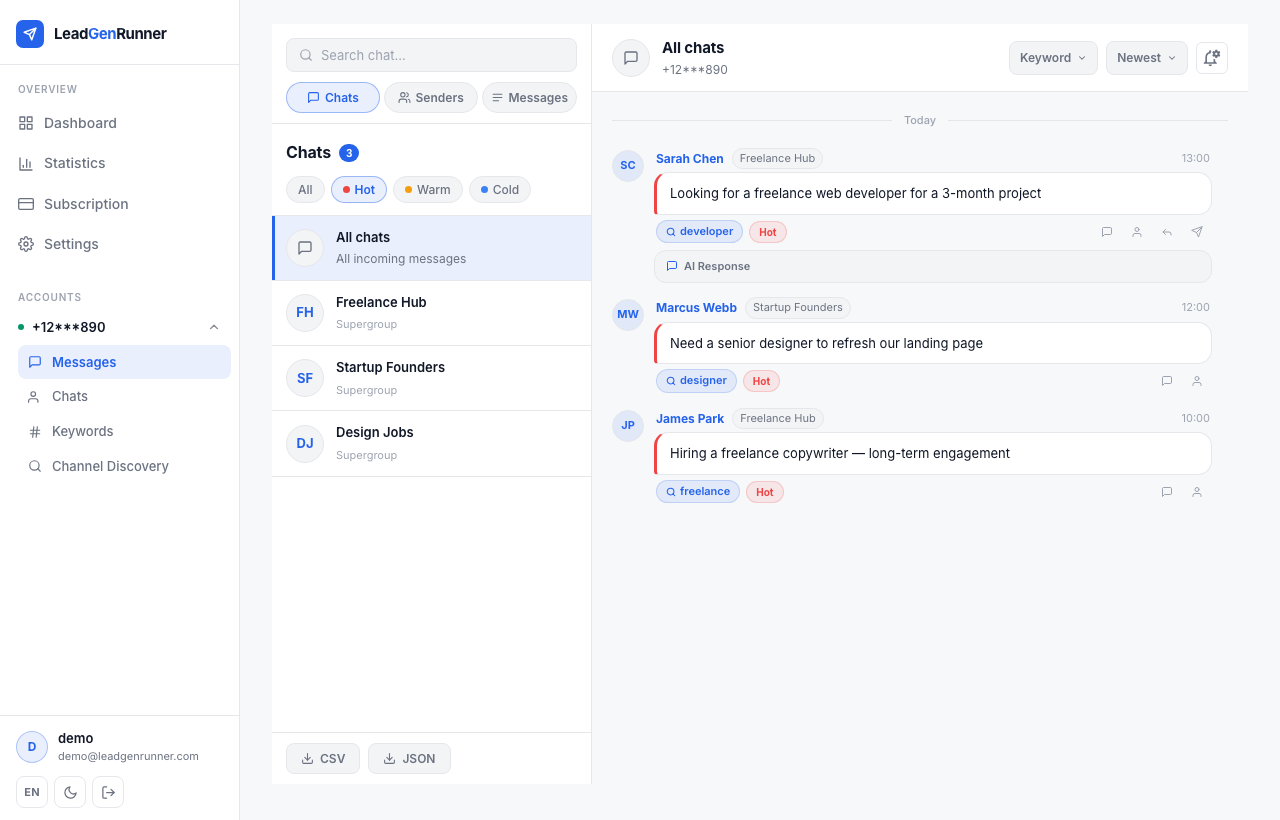
Mix and match filters to find the exact leads you want
Chips at the top let you combine classifications.
3
Step 3
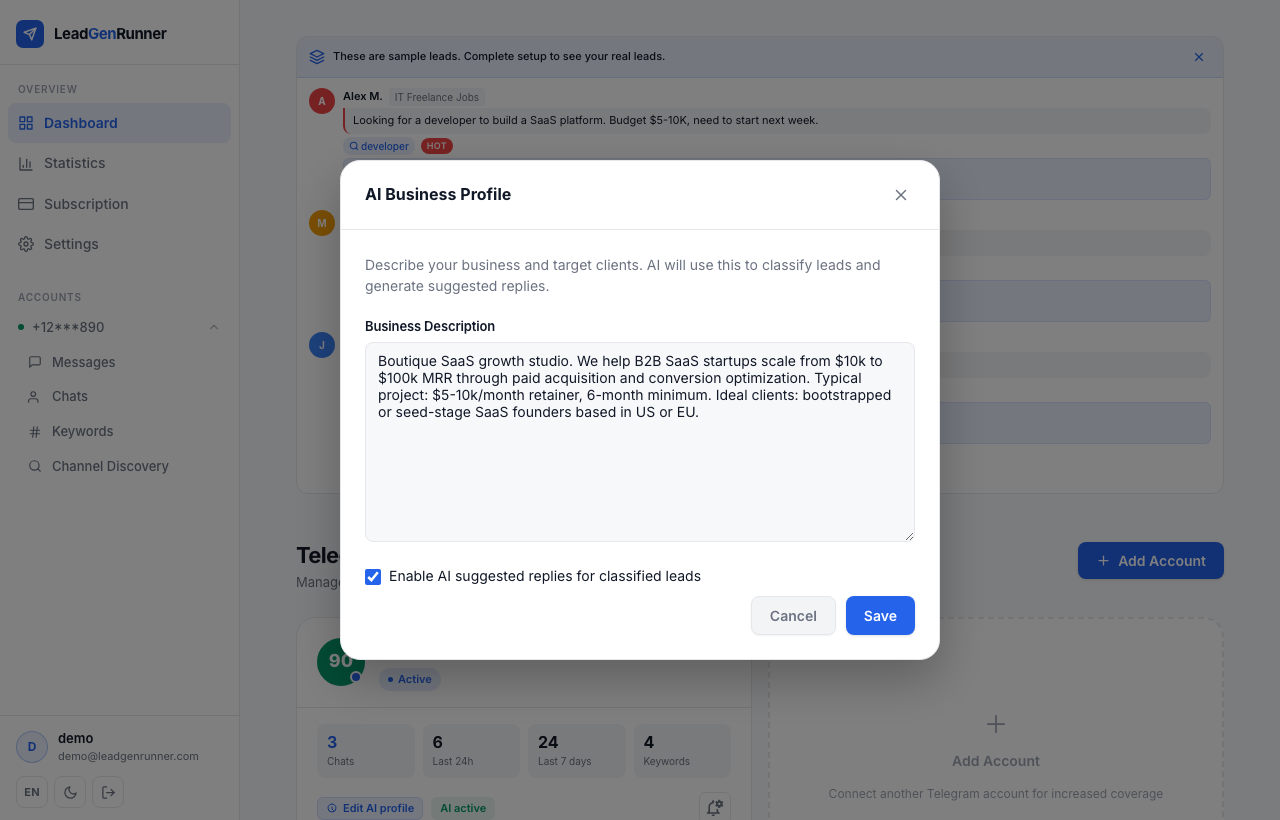
Tell the AI what your business does
Open your account card and click "Set up AI profile". Describe your business, your target clients, your typical project size. The AI uses this exact text to decide whether a lead is hot, warm or cold — the more specific you are, the sharper the scoring.
4
Step 4
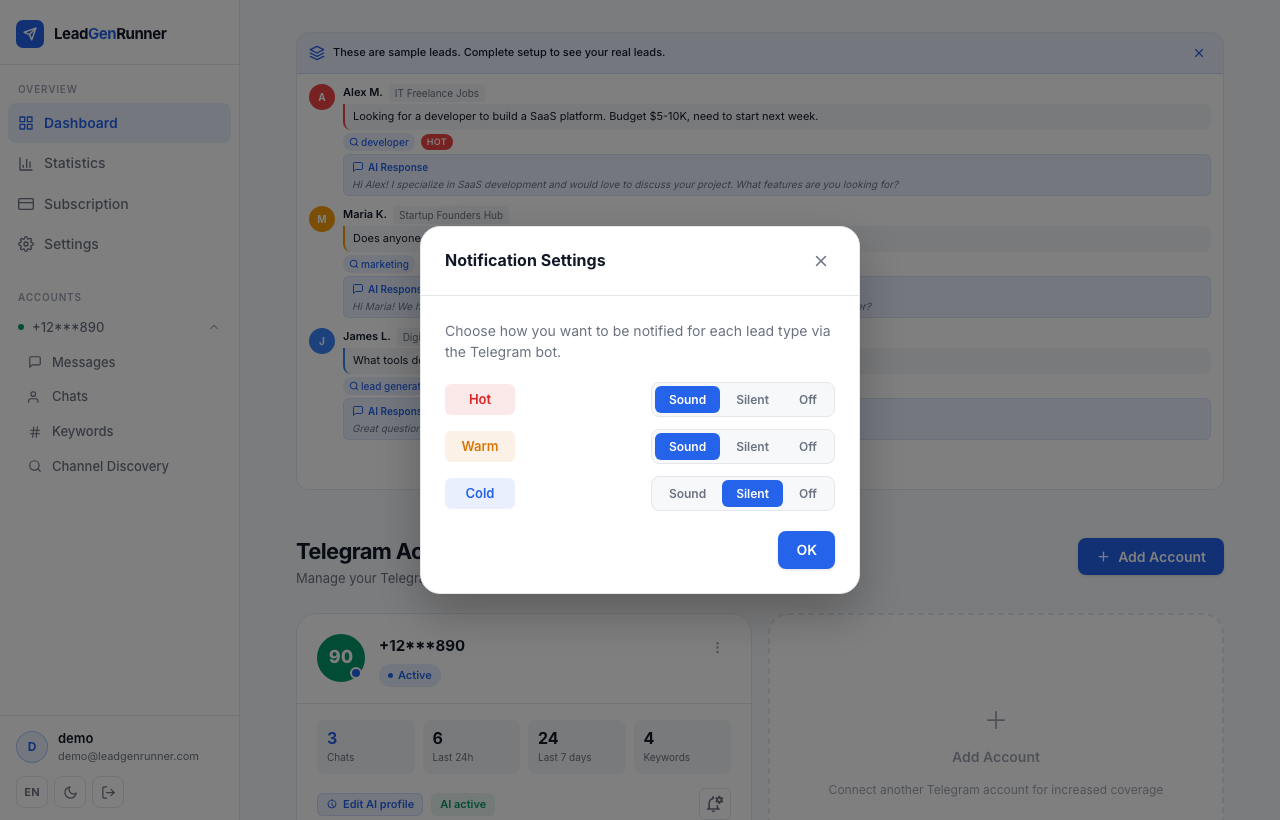
Tune the notifications so only the right ones ping
Pick Sound, Silent or Off for each class. Most users leave Hot on Sound, Warm on Silent, Cold on Off — so only real leads interrupt your day.
Ready to try it yourself?
Start a free plan and see your first leads within minutes.
Start free