Keywords
Tell LeadGenRunner which phrases mark someone as a lead — and which to ignore.
Add the phrases your leads actually use
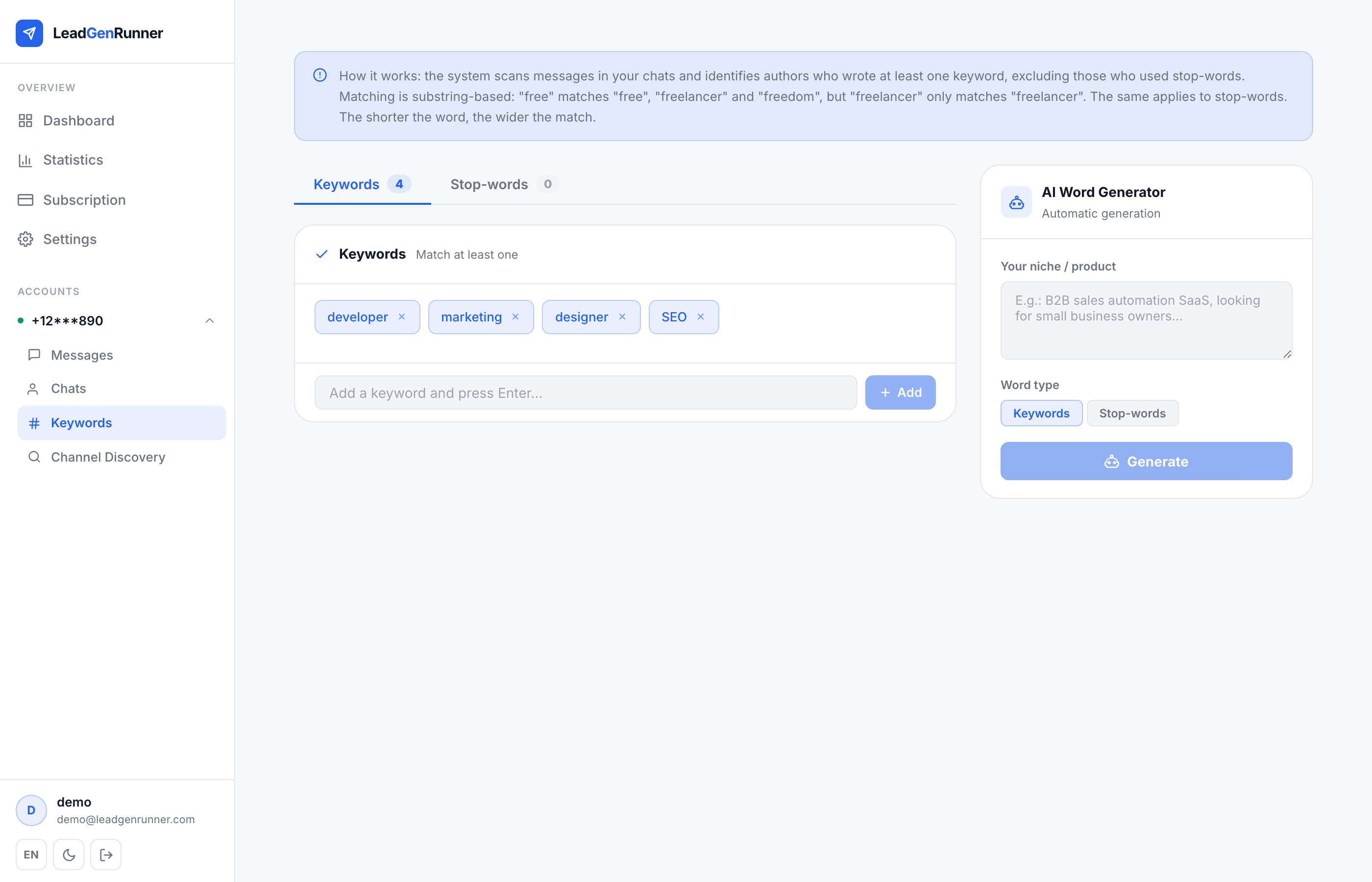
Type a keyword or phrase and press Add. Every new message in your monitored chats gets checked against this list — a hit means the message lands in your feed.
Stop-words filter out the noise
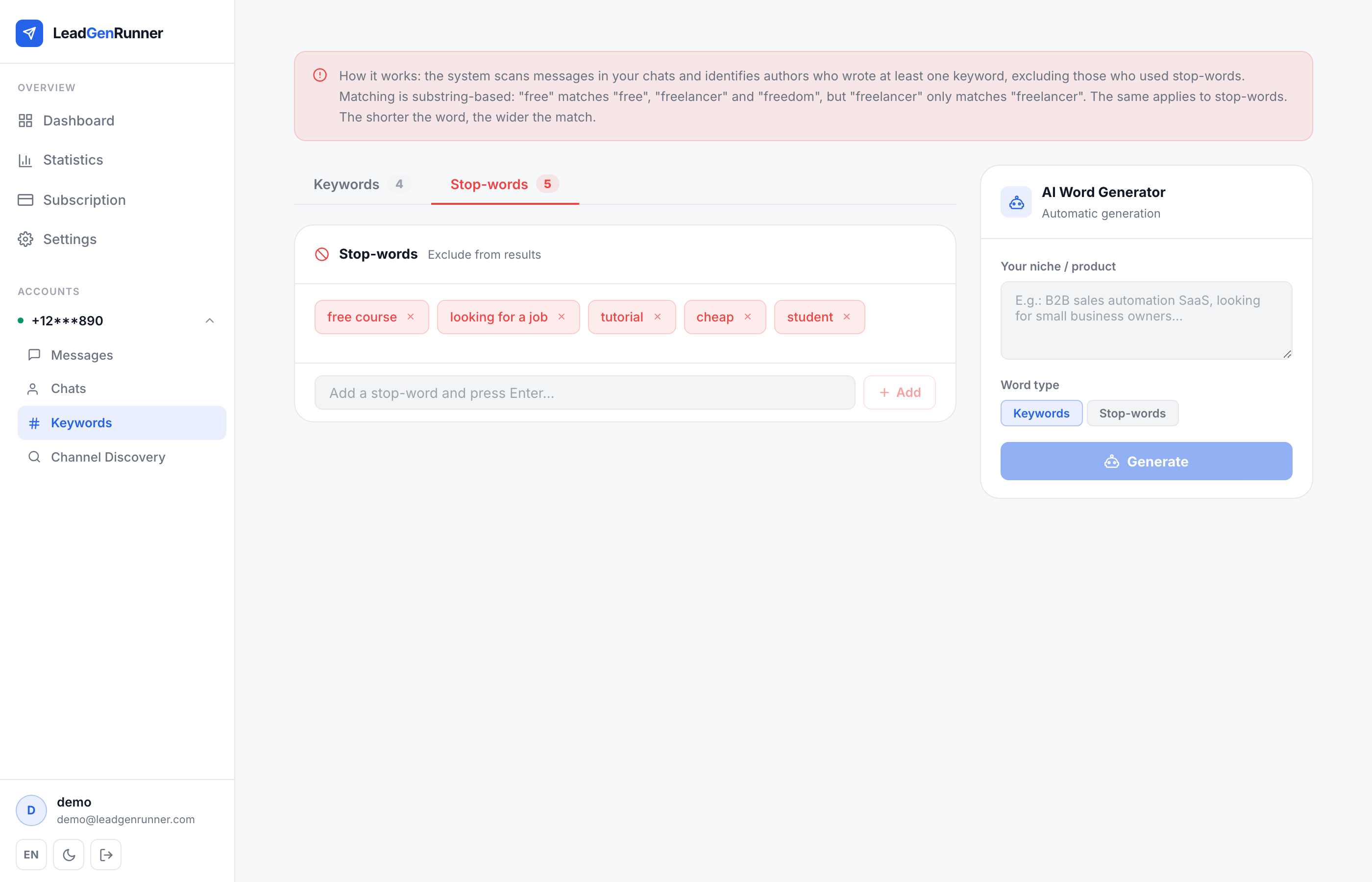
Switch to the Stop-words tab to exclude messages you don't want — common false positives like "free course", "looking for a job", or your competitors' names. If a message contains any stop-word, it never reaches you.
Let AI build the list for you
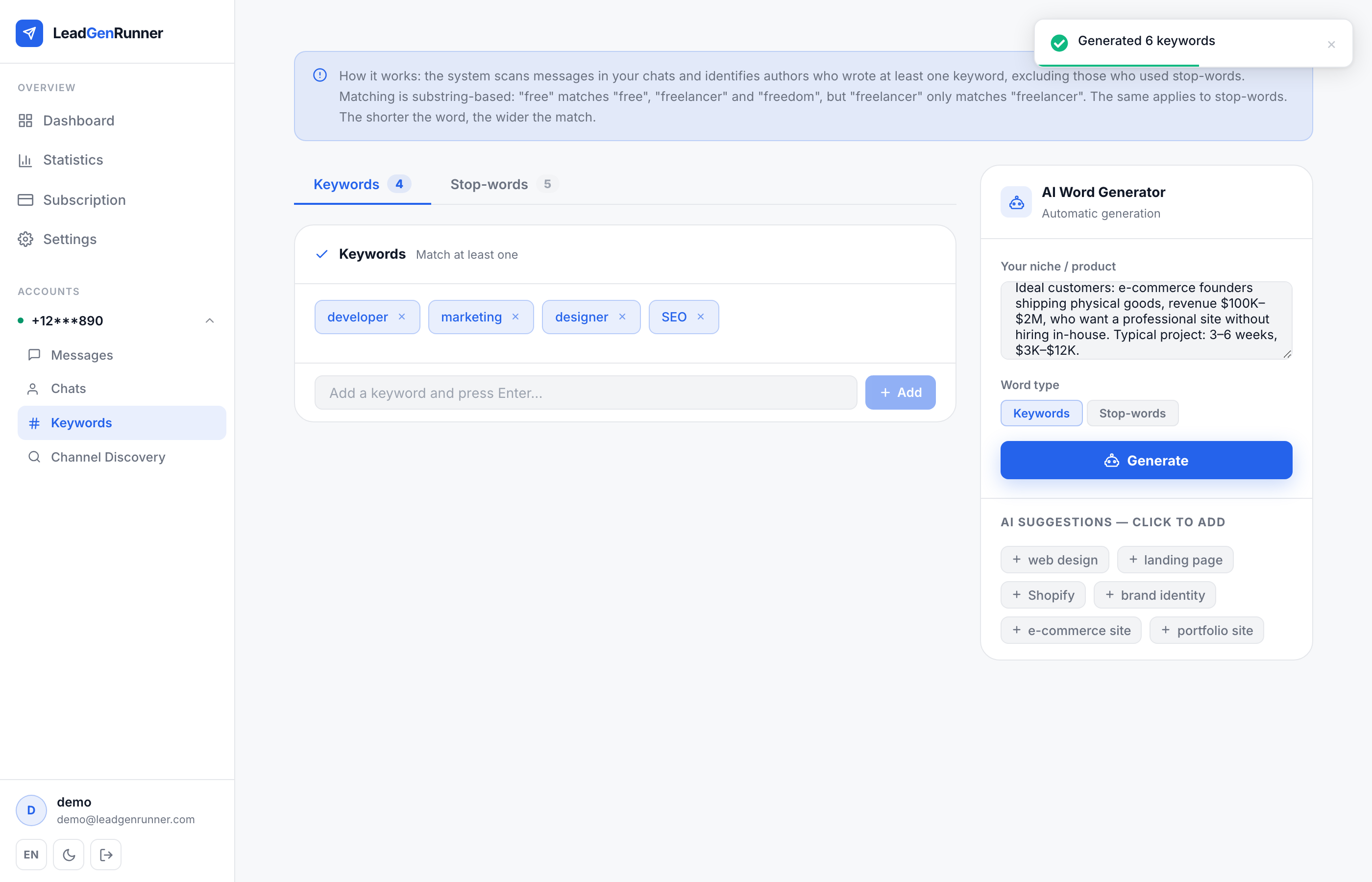
Describe what you sell in the AI panel and click Generate — the model returns a ready list of keywords (or stop-words) tuned to your niche. Tick the ones you like and add them in bulk.
Tune the list as you learn what works
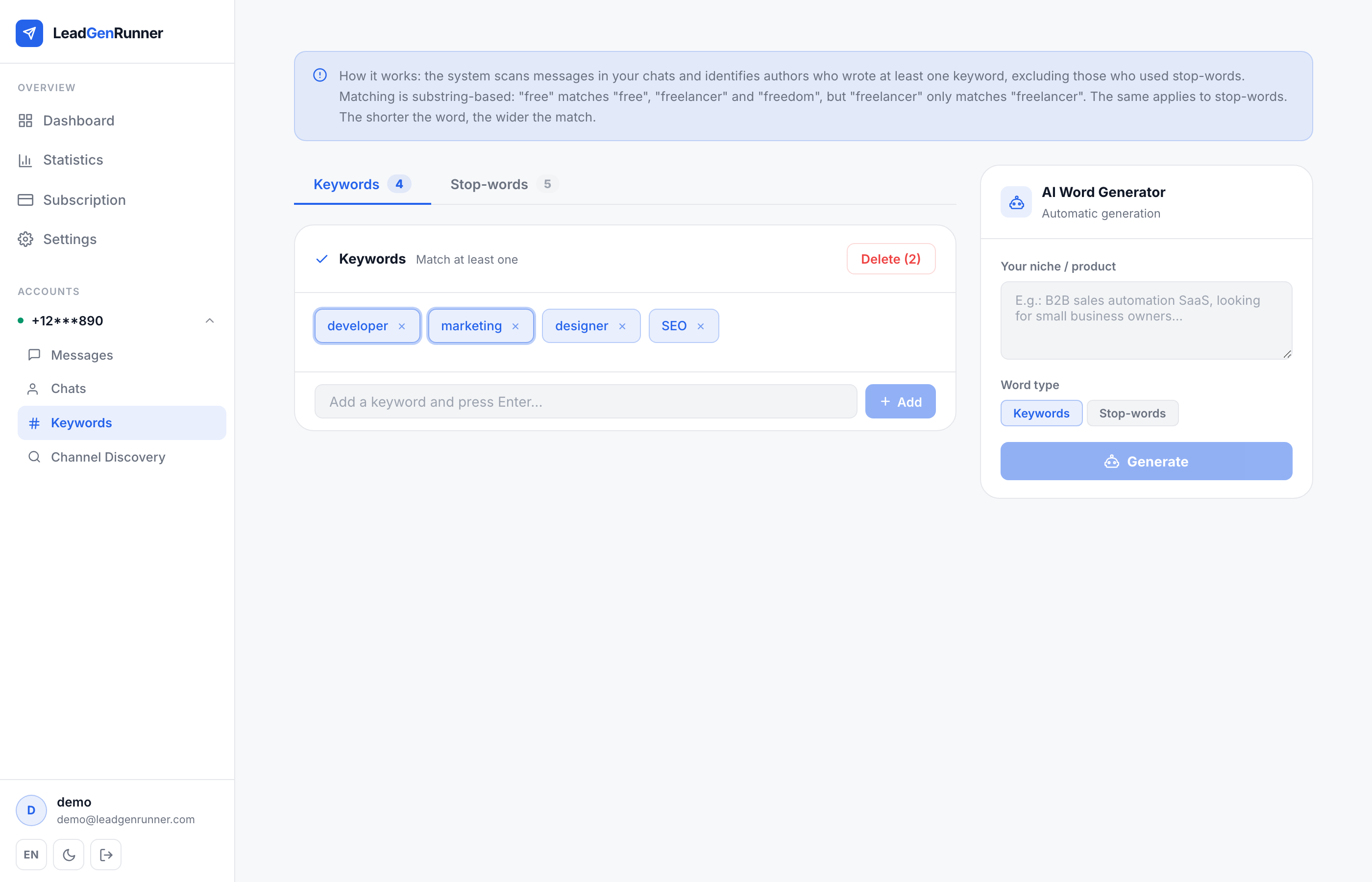
Click the × on any chip to remove it, or select several and bulk-delete. The Statistics page shows which keywords bring the most (and hottest) leads — use that feedback to sharpen the list over time.
Ready to try it yourself?
Start a free plan and see your first leads within minutes.
Start free